
NBA 2K26 Loader Troubleshooting: What to Check and Report
Separate delivery, requirements, dependency and game-build problems, then prepare a useful support request without guessing installation steps.
When a loader does not start or a menu option behaves differently than expected, begin with the point of failure. The supplied NBA 2K26 information does not include a complete installation procedure or an error-code reference. A useful troubleshooting guide should therefore help collect facts and check documented requirements, rather than invent a launch order or a list of fixes.
Identify the stage that failed
Separate a missing delivery instruction from a loader error, a game launch issue and a feature question. Write down the last successful step and the first unexpected result. Copy the exact error text when one appears. A screenshot can help show a menu label, but keep passwords, license keys and other private details out of it.
If the problem is an order or access question, include the order number through the existing support channel. Do not post credentials in a public discussion or use unrelated downloads to replace missing delivery instructions.
Check the documented PC requirements
Compare your PC with Windows 10 or 11, Intel or AMD, 8 GB RAM minimum, dedicated GPU and stable internet. HVCI, Core Isolation, TPM and Secure Boot are listed enabled. Record their current state when asking for help.
If an instruction contradicts those requirements, pause at that step and request clarification. This article does not prescribe disabling security, changing firmware blindly or using unverified flags. The requirements guide helps organize your system details.
Separate dependencies from feature behavior
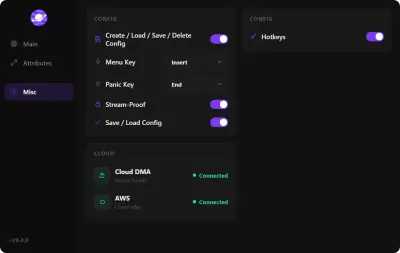
Cloud DMA is required for full functionality on supported builds. Confirm the complete dependency setup and which access has been supplied. A missing service and a question about Auto Green activation are different issues. The dependency guide lists what needs checking.
For attributes or unlocks, describe the exact option, build and mode. The source does not define ranges or persistence, so a value changing after a restart cannot be diagnosed from the summary alone. For stream-proof questions, name capture software, version and capture method.
Prepare one useful support message
Include product name, order reference where relevant, Windows edition and version, CPU, RAM, GPU, game build, loader version and exact error. Add the last successful step, the behavior you expected and what actually happened. Mention instructions you followed and any recent game or Windows update.
Send this through the existing support page. Ask whether your exact build is currently supported and which next step the current guide requires. Keep the response with your setup notes. A later patch may require a fresh compatibility check; an old article cannot confirm live availability.