
NBA 2K26 and HWID Spoofer: Questions Before a Separate Purchase
Understand the utility’s listed identifiers, why a login error is not a diagnosis, and what remains unconfirmed for NBA 2K26.
HWID Spoofer appears in the store as a separate hardware utility. Its presence beside NBA 2K26 HACK does not establish that NBA 2K26 needs it, that it supports the game or that it resolves an account problem. Before choosing a device utility, separate the observed error from the diagnosis you are assuming.
What the utility actually lists
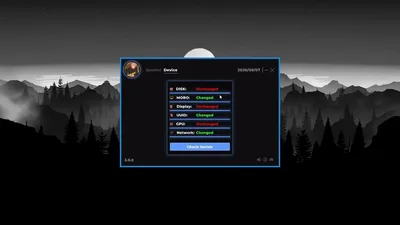
The utility page lists disk serial changes, MAC address changes, GPU identifiers and related hardware fingerprints. A trace cleaner is included. Its coverage notes name Vanguard, Easy Anti-Cheat, BattlEye, Ricochet, ACE and Javelin. These are product-listed coverage notes, not confirmation for every title using one of those systems.
The HWID Spoofer product page provides the utility’s scope and requirements. The main NBA 2K26 product summary does not confirm an included spoofer or a mandatory spoofer dependency. Do not add that purchase to your setup merely because both pages share a store.
A sign-in error does not identify the cause
Record the exact message and the point where the problem occurs. A launcher failure, an account notice and an interrupted internet connection describe different observations. Without a technical diagnosis, none of those observations establishes that changing hardware identifiers is appropriate.
An account restriction is also distinct from a device identifier. A hardware utility does not remove a sanction stored against an account. If an account notice provides an official support route, use that route for the notice itself. Buying a separate tool is not evidence that the restriction can be removed.
Check the utility’s own requirements
The listed environment is 64-bit Windows 10 or 11 with administrator rights and internet for activation and updates. HVCI, Core Isolation, TPM and Secure Boot must be enabled. Those requirements describe the utility; they do not confirm the cause of an NBA 2K26 error. The utility listing also requires Cloud DMA; confirm its separate access and dependencies before ordering.
Before changing a working PC, ask whether the utility supports the exact title and build, what operation is appropriate and which instructions apply. This guide does not prescribe identifier changes as a troubleshooting step.
Ask a focused compatibility question
Send support the game name, current build, Windows version and error text. Ask explicitly whether NBA 2K26 is supported and whether this utility is relevant to the diagnosed issue. If that answer is unavailable, the separate purchase is not yet justified by the supplied product facts.
For broader preparation, read the PC requirements guide. For a loader failure, use the troubleshooting checklist. Each addresses a different question, helping you avoid treating every setup problem as a hardware restriction.